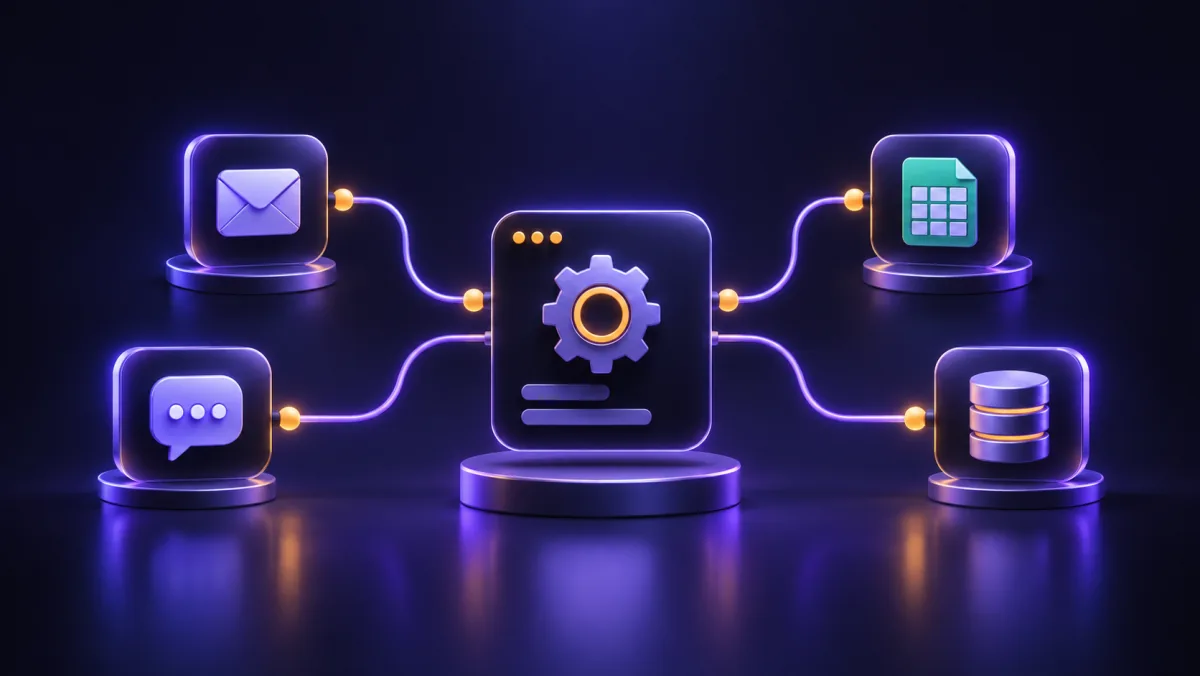
If part of your team's day goes into copying orders from your website into Excel, sending reminder messages or moving data between different software tools, the answer to "what is n8n?" is probably more useful to you than you think. n8n is a tool for building automated workflows: it connects different software and handles repetitive tasks with no human involvement. In this guide we cover the core concepts, a few real examples for small and mid-sized businesses, how n8n compares with Zapier and Make, and the situations where you are better off not using it.
What is n8n, and what exactly does it do?
n8n (pronounced "n-eight-n", a shortening of "nodemation", from node and automation) is a node-based workflow automation tool. Put simply, you place a few boxes side by side on a visual canvas. Each box does one specific job, such as "read the new order from the store", "if the amount is above a certain value" or "send a message to the management group". You then connect the boxes with lines so data flows from one to the next.
The main difference between n8n and a hand-written script is that the logic is in plain sight. A manager or operations specialist can look at the diagram and understand what happens, and when the process changes, editing one step usually does not mean rewriting all the code. At the same time, you can write JavaScript inside the same diagram wherever you need it. In other words, the tool is neither fully "no-code" nor only for programmers.
Cloud version or installed on your own server?
You can use n8n in two ways:
- Self-hosted: you install the software on your own server or VPS (usually with Docker). Your data stays on your own server, and the main cost is the server and its maintenance.
- n8n Cloud: the subscription-based version hosted by n8n itself. You are not responsible for installation and updates, but your data is processed on n8n's servers.
Is n8n open source? An important note on the fair-code license
Many sources describe n8n as "open source", but it is more accurate to say n8n is released under a fair-code model. Its source code is available, and you can install, use and even modify it for your own business's internal work. However, its license differs from classic open-source licenses and comes with restrictions, including on selling or hosting n8n itself as a commercial service for others. Some enterprise features are also available only in the paid editions. If you plan to put n8n inside a product you sell to customers, read the license text on the official n8n website before you start, because the terms may change.
n8n basics: five terms you should know
To talk about automation with a contractor or technical team, these five concepts are all you need.
1. Workflow
Every automation in n8n is a Workflow: a set of connected steps that begins at a starting point and reaches one or more results. A Workflow can have three steps or thirty steps with conditional branches. The practical advice is to give each Workflow one clear responsibility, for example "log leads from the contact form", not "all sales tasks".
2. Node
Each box in the diagram is a node. Nodes fall into a few groups:
- Service nodes: for working with a specific piece of software, such as Google Sheets, Telegram, Gmail or WooCommerce.
- Logic nodes: such as IF and Switch for decisions, Merge for combining data and Edit Fields for reshaping data.
- Code node: for places where you need specific logic that the ready-made nodes cannot handle.
- HTTP Request node: often the most important node in practice. Many local services (SMS gateways, accounting software, smaller CRMs) have no ready-made node, but if they offer an API, you can connect to them with this node.
3. Trigger
Every Workflow starts with a trigger: an event that says "run now". The most common triggers are:
- Webhook: a web address that runs the Workflow whenever another system sends data to it, for example when a form on your website is submitted.
- Schedule: a timed run, such as "every day at 8 a.m.".
- Service-specific triggers: such as "new row in a sheet" or "new message in a Telegram bot".
A practical note: until you activate the Workflow (Active), triggers do not work in production mode. A Webhook also has a test URL and a production URL, and mixing up the two is one of the most common reasons an automation "stops working" after handover.
4. Credentials
The tokens, API keys and passwords n8n uses to connect to services are stored separately from Workflows and in encrypted form. This means you define the connection to Telegram or your store once and use it in several Workflows. In the self-hosted version, be sure to keep the encryption key for this data somewhere safe: if you move servers without that key, you will have to rebuild every connection from scratch.
5. Executions
Each time a Workflow runs, n8n keeps a record: what data went into each node, what came out and where an error occurred. This section is vital for troubleshooting. I have two recommendations. First, build an Error Workflow so you are notified about every error right away. Second, limit how long execution records are kept so the server's database does not grow heavy over time.
n8n automation examples for small and mid-sized businesses
The examples below are the kind of tasks that repeat in most small and mid-sized businesses. None of them works miracles on its own, but together they cut hours of manual work.
Example 1: Store order alerts and logging to a sheet
A WooCommerce store wants every new order both announced to the management group and logged in a sheet for the warehouse. The steps in n8n:
- A WooCommerce trigger for "order created".
- An Edit Fields node to extract the customer's name, city, items and amount.
- An IF node: if the shipping method is "express courier", it follows a separate path.
- A Google Sheets node to add a row to the warehouse sheet.
- A messaging node to send an order summary to the management group.
Example 2: Website contact form, lead capture and a welcome SMS
The website form sends its data to a Webhook. n8n normalizes the mobile number (for example, converting Arabic-Indic digits to Western digits and removing spaces), logs the lead in the CRM and, with an HTTP Request node, sends the customer a confirmation message through the SMS gateway's API. If the number is invalid, a reminder is created for a sales rep instead of sending the SMS.
Example 3: An automatic daily report for the manager
Every morning a Schedule trigger runs, reads the previous day's sales from the store or database, calculates the number of orders and the total amount, and sends the manager a short message. This simple report alone prevents a lot of "I forgot to check" moments.
Example 4: Reminders for unpaid orders
Orders that have sat in "pending payment" for a few hours are checked on a schedule, and the customer receives an SMS reminder. Just make sure the number and frequency of messages do not become annoying.
Example 5: Sorting support messages with AI
Incoming messages from email or a form are passed to a language model, which identifies the topic (complaint, order follow-up, technical question) and urgency so the message reaches the right person. If you are thinking about automatic replies to customers, also read our guide to an AI chatbot for your website, where we cover its limits and how to evaluate its quality in detail.
Choose your server location based on the services you connect
This point causes trouble in projects again and again. Some services restrict access by region: depending on where your n8n server is, it may not be able to reach certain external services directly, and some local services only respond to requests from IP addresses in their own country. Before you buy a server, list the services your Workflows will work with and test access to each one from that same server.
n8n vs Zapier vs Make
Zapier and Make are n8n's two best-known competitors. All three share the same goal, but their structural differences matter for your business:
| Criterion | n8n | Zapier | Make |
|---|---|---|---|
| Where it runs | Self-hosted on your own server, or the cloud version | Cloud only | Cloud only |
| Where data is stored | On your own server when self-hosted | Zapier's servers | Make's servers |
| Cost basis | Self-hosted: server and maintenance; cloud: subscription | Subscription based on the volume of tasks run | Subscription based on the volume of operations |
| Editor style | Free-form node diagram with branches and loops | Mostly sequential steps, simple to start with | Visual scenario diagram |
| Custom code | Code node and the option to build custom nodes | More limited code step | More limited options |
| Technical knowledge needed | Medium; more when self-hosted | Low | Low to medium |
Which one should you choose?
If you have a few simple automations and no technical team, Zapier or Make give you the fastest start. But if your run volume is high, your data is sensitive, you connect to local services that have no ready-made integration, or you do not want to depend on a third-party subscription, self-hosted n8n usually makes more sense, provided someone is responsible for maintaining its server.
When is n8n not the right choice?
n8n is a good tool, but it is not the answer to every problem. In these situations it is better to hold off:
- You have no one to maintain it. The self-hosted version needs updates, backups and monitoring. An abandoned server will sooner or later stop working or run into a security problem.
- The task is rare or one-off. For a job done once a month in five minutes, building and maintaining an automation is not worth it.
- A ready-made plugin already does the job. If a reputable WordPress plugin covers exactly what you need, do not add an extra layer.
- It is the core, sensitive logic of your system. Payment confirmation, stock deduction or issuing official invoices should happen inside the software itself, with full control. n8n is better suited to side tasks such as notifications and reports.
- You need instant responses at very high volume. For real-time processing of very large volumes, custom code is usually the better choice.
- The process itself is not clear yet. Automating a messy process only makes the mess faster. Define the process on paper first.
Setting up self-hosted n8n: what do you need?
If you decide to install it on your own server, take this minimum checklist seriously:
- A suitable server: a VPS with enough resources for your Workflow volume and in the right geographic location (see the previous section).
- Installation with Docker: it makes version management, updates and migration easier.
- A suitable database: for serious use, PostgreSQL is recommended instead of the default database.
- HTTPS and a domain: the editor and Webhooks should sit behind a domain with a security certificate.
- Restricted access: the n8n editor has access to all your connections, so keep user accounts limited and passwords strong.
- Regular backups: of the database, the Workflows and the encryption key.
- Monitoring and updates: an Error Workflow, alerts when the server goes down and a regular update schedule.
Include the cost of the server and maintenance in your calculations too. For a general estimate, see our pricing page.
Where should you start with n8n automation?
Instead of building ten automations on day one, follow this path:
- For one week, write down your team's repetitive tasks and note how much time each one takes.
- Pick a task with a clear input and output, where a mistake would not be a disaster.
- Sketch the steps on paper: where it starts, what decision is made and where the result goes.
- Check that the services involved have an API or a ready-made node, and that they can be reached from your server.
- Test the Workflow with real data, try the error cases too and set up an Error Workflow.
- Write down an owner and a short description for each Workflow, so that if someone changes it tomorrow, they know what they are dealing with.
If you would rather hand design and implementation to a specialist team, our business automation with n8n page explains the process, from process mapping to team training.
Frequently asked questions
Is n8n free?
The self-hosted version has no license fee for a business's internal use; you only pay for the server and maintenance. The cloud version and some enterprise features are paid. If you want to offer n8n to others inside a commercial product, be sure to check the terms of the fair-code license on the official website.
Do I need to know programming to use n8n?
Not for simple Workflows; the visual editor is enough. But for reshaping data, working with the APIs of local services and troubleshooting errors, some familiarity with JSON and a little JavaScript makes the job much easier.
Does n8n work with local services in my market?
Most local services do not have a ready-made node, but if they offer an API, you can connect to them with the HTTP Request node. Review the API documentation of the service you need before you start, and test access from your n8n server.
Is customer data safe in n8n?
When self-hosted, data stays on your own server and connection credentials are encrypted, but final security depends on server configuration, HTTPS, access restrictions and regular updates. n8n does not become secure on its own; it has to be maintained properly.
Is n8n better than WordPress automation plugins?
A plugin only works inside that one website and is enough for simple tasks limited to WordPress. n8n is worth it when several different systems (store, CRM, messaging app, accounting) need to talk to each other, or when you do not want this workload on your website's server.
If you are still not sure which of your processes is worth automating, one free consultation is enough for us to go through your list of repetitive tasks together. The MyTarh team supports you in business automation with n8n, from Workflow design to server setup and training. To get started, go to our order page.